
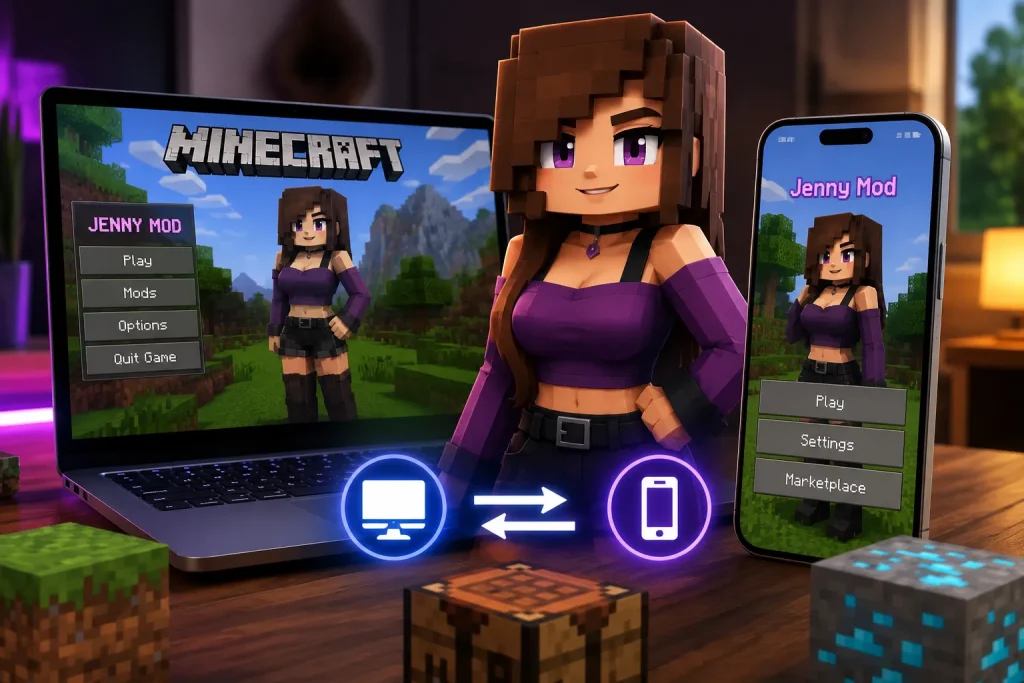
Installing Jenny Mod is straightforward once you know which file your device needs. PC players use a .jar file with Minecraft Forge, while Android players use a .mcaddon file that Minecraft imports directly. The most common reason an install fails is simple: the wrong file for the wrong edition. This guide walks through both installs step by step, so you can get Jenny Mod running on PC or Android without guessing.
Before you start, check two things: which Minecraft edition you own, and which version it runs. The original Jenny Mod was built for Minecraft Java 1.12.2, and the Bedrock addon works with Minecraft PE / Bedrock 1.17.0 and newer. If you are unsure, the Jenny Mod download page lists the files for each edition, and our PC & Mobile guide covers the same installs in brief.
Table of Contents
What You Need Before Installing
Get these ready first. Five minutes of preparation saves most install problems.
PC (Java Edition) — What You Need
- Minecraft Java Edition installed on your PC
- Java 8 or newer installed
- Minecraft Forge 1.12.2 (the mod loader)
- Jenny Mod .jar file for 1.12.2
- At least 4 GB of RAM free while playing
Android (MCPE / Bedrock) — What You Need
- Minecraft PE or Bedrock 1.17.0 or newer installed
- A file manager app (for example ZArchiver)
- Jenny Mod .mcaddon file
- Enough free storage space for the download
How to Install Jenny Mod on PC (Java Edition)
PC installation has four steps: install Forge, find the mods folder, add the .jar file, and launch the game.
Step 1: Install Minecraft Forge 1.12.2
- Open the Forge 1.12.2 download page
- Choose the Recommended version and download the installer
- Run the installer and select Install Client
- Open the Minecraft Launcher and check that a Forge 1.12.2 profile now appears
Step 2: Find the Mods Folder
- Press Windows + R and type %appdata%, then press Enter
- Open the .minecraft folder
- Open the mods folder — if it is not there, create a new folder named mods
Step 3: Add the Jenny Mod File
- Download the Jenny Mod .jar file for Minecraft 1.12.2
- Move the .jar file into the .minecraft/mods folder
- Do not unzip the .jar file — Forge reads it as it is
Step 4: Launch and Play
- Open Minecraft and select the Forge 1.12.2 profile, then press Play
- Load a world (Creative Mode is the easiest way to test a new mod)
- Use the Jenny spawn egg from the Creative inventory to add Jenny to your world
Pro tip: back up your worlds before installing any mod, and keep Forge, Minecraft and the mod file all on the same version — 1.12.2 for the original Jenny Mod. Adding OptiFine can make the game run smoother on older PCs.
How to Install Jenny Mod on Android (MCPE / Bedrock)
Android installation is quicker than PC — there is no Forge to install. Minecraft imports the .mcaddon file for you.
Step 1: Download the .mcaddon File
- Download the Jenny Mod .mcaddon file to your phone
- Save it in your Downloads folder so you can find it easily
Step 2: Import It Into Minecraft
- Tap the downloaded .mcaddon file — Minecraft should open and import it automatically
- If nothing happens, open your file manager, find the file, and choose Open with Minecraft
- Wait for the Import successful message before closing the game
Step 3: Activate the Packs in Your World
- Open Minecraft and tap Play
- Tap the pencil icon to edit a world, or create a new one
- Turn on Experimental Features if the game asks for them
- Open Behavior Packs and activate Jenny Mod
- Open Resource Packs and enable Jenny Textures
- Start the world in Creative Mode and use the Jenny spawn egg
Alternative manual method: if auto-import fails, extract the .mcaddon file with a file manager and move the behavior and resource packs into their Minecraft folders by hand, then activate them in the world settings as above.
Common Problems and Fixes
Most install problems have a simple cause. Work through this list before reinstalling everything:
- Game crashes on launch: the mod file, Forge and Minecraft versions do not match. For the original Java build, all three must be 1.12.2.
- Mod does not appear in the game: the .jar is in the wrong folder, or you launched the normal Minecraft profile instead of the Forge 1.12.2 profile.
- MCPE import does nothing: the file may not have downloaded fully. Delete it, re-download, and check you have free storage space.
- Lag or black screen: close other apps, lower the render distance, and on PC give Minecraft more RAM in the launcher settings.
Safety Tips Before You Install
Jenny Mod is a fan-made mod, not an official Mojang product, so a little care goes a long way. Back up your Minecraft worlds before installing anything new. Download mod files only from a source you trust, and scan any file before opening it — some reuploads on random sites bundle unwanted software. Never pay for Jenny Mod: the mod itself is free, and any site charging for it is not selling you the real thing. Finally, remember this mod includes mature content meant for adults — our age guide explains who it is and is not for.
Next step: Download Jenny Mod for Minecraft (Java, Bedrock & MCPE) and follow the install steps on this page.
Frequently Asked Questions FAQS
Do I need Forge to install Jenny Mod?
Yes, on PC Java Edition. Forge 1.12.2 is the mod loader that runs the Jenny Mod .jar file. Android Bedrock does not need Forge — the .mcaddon file imports directly into Minecraft.
Which Minecraft version does Jenny Mod need?
The original Java build needs Minecraft 1.12.2 with Forge 1.12.2 and Java 8. The Bedrock addon needs Minecraft PE or Bedrock 1.17.0 or newer.
Can I install Jenny Mod on Android?
Yes. Download the .mcaddon file, tap it, and Minecraft will import it automatically. Then activate the behavior and resource packs in your world settings, as shown in the Android steps above.
Can I install Jenny Mod on iPhone?
Not the same way. iOS cannot use .apk or .jar files, and there is no Jenny Mod app on the App Store. There is a Bedrock import route for iPhone — see our Jenny Mod for iPhone guide.
Why does my game crash after installing Jenny Mod?
The most common cause is a version mismatch — the mod file, Forge and Minecraft must all be 1.12.2 for the original Java build. Also check that the .jar is in the mods folder, that you launched the Forge profile, and that no conflicting mod is installed. Back up your worlds before changing anything.
Is Jenny Mod free to install?
Yes. Jenny Mod is free. Do not pay any website or app that charges for it — those are not the mod itself.
Conclusion!!
Installing Jenny Mod on PC and Android is simple when you match the file to your edition: Forge 1.12.2 with a .jar file on PC, and a one-tap .mcaddon import on Android. The step that causes almost every failure is using the wrong file or the wrong Minecraft version, so check both before you start.
Always back up your worlds, download from a source you trust, and keep Forge and Minecraft on the same version. Do that, and Jenny Mod should be running within a few minutes — on PC or on your phone.