
Jenny Mod on Windows 10 is the most common way people play this mod, and the install is the same five steps it has always been: Java 8, Forge 1.12.2, the verified .jar file, the mods folder, and a launch on the Forge profile. Windows 11 works exactly the same way, with the same files and the same folders, so this guide covers both.
Table of Contents
What You Need Before You Start
Four things, all free: a Windows 10 or Windows 11 PC with Minecraft Java Edition installed, Java 8, the Forge 1.12.2 installer, and the Jenny Mod .jar file for 1.12.2. You also need at least 4 GB of RAM free while playing. Back up any Minecraft worlds you care about before changing your setup.
One warning up front: Jenny Mod is free. Any website that charges for a Windows installer, a setup tool, or a "Windows 10 version" of the mod is not selling you the mod. There is no separate Windows installer for Jenny Mod: the install below uses the standard Java files, and nothing in it costs money.
Step 1: Install Java 8
Minecraft 1.12.2 runs on Java 8. That is the first thing to get right, because the wrong Java is the most common reason a Windows install fails before the game even opens. If your PC already has a newer Java installed, that does not help this build: a 1.12.2 install launched with the wrong Java either refuses to start or crashes with a Java error.
Step 2: Install Forge 1.12.2
Download the Forge installer for Minecraft 1.12.2 from the official Forge site and run it on your PC. Choose Install Client, point it at your Minecraft folder, and let it finish. When it is done, open the Minecraft launcher: a new Forge 1.12.2 installation should appear in the installations list.
Launch the Forge profile once, let the game reach the title screen, then close it. That first launch proves Forge itself works before the mod is involved, and it creates the mods folder you need in the next step.
Step 3: Get the Verified .jar File
Download the Jenny Mod .jar file for Minecraft 1.12.2 from a source you trust. The file is around 40-50 MB: a 2 MB file with the same name is not the mod. Our download page lists the verified 1.12.2 files. Scan the file with Windows Defender or your antivirus before opening it.
Step 4: Put the .jar in the Mods Folder
Open the mods folder on your PC. The quick way: press Windows + R, type %appdata%, press Enter, then open the .minecraft folder and the mods folder inside it. If there is no mods folder, launch the Forge profile once and it will appear.
Copy the Jenny Mod .jar into the mods folder and leave it exactly as it is. Do not unzip it, do not rename it, and do not open it: Forge reads the .jar directly, and extracting it breaks it.
Step 5: Launch and Check It Loaded
Launch Minecraft on the Forge 1.12.2 profile. On the title screen, open the Mods menu: Jenny Mod should be listed there. Then create a new test world and load it. If the world loads without crashing and the mod works in-game, the install is done. Only then add the mod to a world you care about, and only then add your other mods back, one at a time, so a conflict is easy to trace.
Windows 11: Does Anything Change?
Almost nothing. Windows 11 runs the same Java, the same Forge, and the same .jar, and the mods folder sits in the same place. Two small differences are worth knowing. First, Windows 11 sometimes asks for permission when you run the Forge installer or Java for the first time: allow it, because the installer needs to write to your Minecraft folder. Second, Windows 11 SmartScreen may flag a downloaded .jar as unrecognized: that is normal for files from the internet, and you can run it anyway after scanning it.
Jenny Mod on Windows Bedrock (Minecraft for Windows)
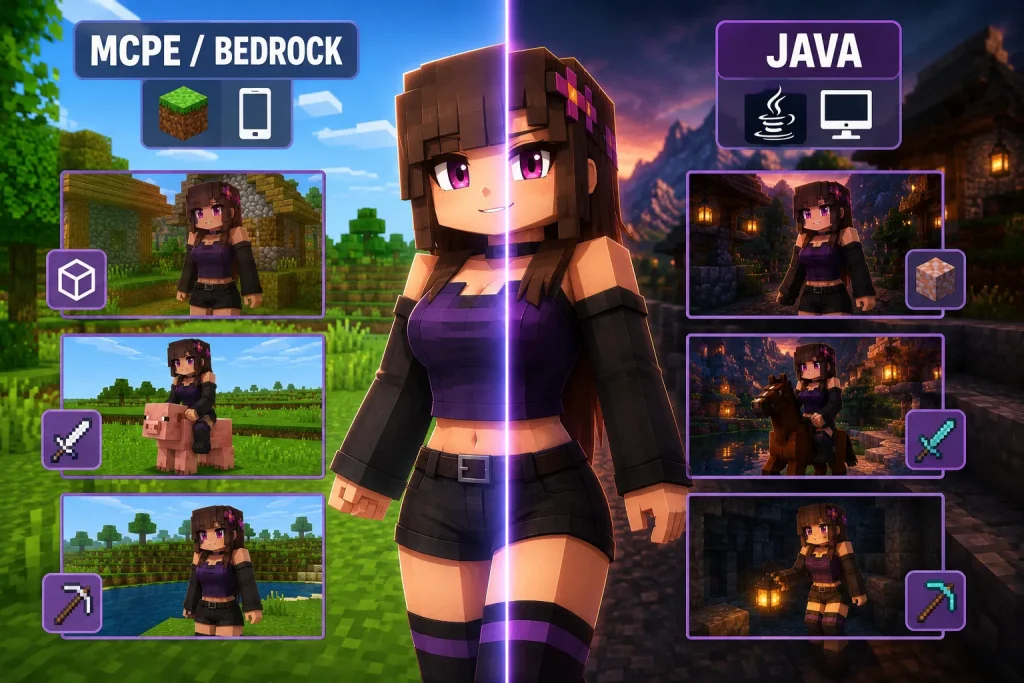
Windows has two Minecrafts, and they install Jenny Mod differently. Everything above is for Java Edition. If you own Minecraft for Windows, the Bedrock edition, the install is the addon route: download the Jenny Mod .mcaddon file, double-click it, and Minecraft for Windows imports it. Then activate the behavior pack and the resource pack in your world settings, exactly as on Android.
The addon works with Bedrock versions 1.17.0 through 1.21.71. It needs no Forge, no Java, and no mods folder. If you are not sure which edition you own, Java Edition says "Java Edition" on the title screen, and Bedrock says "Minecraft" with no edition label. The full addon steps are on our MCPE guide.
Common Windows Errors and Fixes
Most Windows installs fail for one of four reasons, and all four are quick to check:
- Game crashes on launch: the mod file, Forge and Minecraft versions do not match. For the original build, all three must be 1.12.2, with Java 8.
- Mod does not appear in the game: the .jar is in the wrong folder, or you launched the vanilla profile instead of the Forge 1.12.2 profile.
- Java error before the title screen: the wrong Java version. Java 8 for 1.12.2, Java 17 for 1.20.1 and 1.21 ports.
- Nothing happens when you double-click the .jar: that is normal. A .jar is not a program to run: it goes in the mods folder, and Forge loads it when the game starts.
One more warning: Jenny Mod includes mature content meant for adults. If you are a parent checking a download for a child, read our age guide first.
Next step: Download Jenny Mod for Minecraft - verified 1.12.2 Java files and the MCPE addon for Bedrock up to 1.21.71.
Frequently Asked Questions FAQS
Does Jenny Mod work on Windows 10?
Yes. Jenny Mod works on Windows 10 with Minecraft Java Edition, Forge 1.12.2 and Java 8. Follow the five steps on this page and it runs the same as on any other PC.
Does Jenny Mod work on Windows 11?
Yes. Windows 11 runs the same Java and Forge install as Windows 10: Java 8, Forge 1.12.2, and the .jar in the mods folder. Nothing in the steps changes.
Do I need Forge for Jenny Mod on Windows?
Yes, for Java Edition. Forge 1.12.2 is the mod loader that runs the Jenny Mod .jar file. Without Forge, Minecraft has nowhere to load the mod from. The Bedrock route on Windows does not need Forge: the .mcaddon imports directly into Minecraft for Windows.
Which Java version does Jenny Mod need on Windows?
Java 8 for the original 1.12.2 build. Newer community ports for 1.20.1 and 1.21 need Java 17 instead. Match the Java to the version you are installing: a 1.12.2 install with Java 17, or a 1.20.1 port with Java 8, is a common reason the game will not start.
Where is the mods folder on Windows 10?
Press Windows + R, type %appdata%, press Enter, then open the .minecraft folder and the mods folder inside it. If there is no mods folder, launch the Forge 1.12.2 profile once first: the first Forge launch creates it.
Why does Jenny Mod crash on Windows?
Almost always a version mismatch: the mod file, Forge and Minecraft must all be 1.12.2 for the original build, with Java 8. Other causes are a .jar in the wrong folder, launching the vanilla profile instead of Forge, or a bad download. Our not working guide fixes each one in order.
Conclusion!!
Jenny Mod on Windows 10 and 11 is a five-step install: Java 8, Forge 1.12.2, the verified .jar, the mods folder, and a launch check on the Forge profile. Match every version to 1.12.2, keep the .jar intact, and back up your worlds first. If you own Bedrock on Windows instead of Java, the .mcaddon addon route gets you playing without Forge at all.